- REVIEWS
Displays Electronics 
Speakers Sources Other Gear Software - HOW TO
How To Buy How To Use Tech 101

Making the Move from Discs to Computer Playback
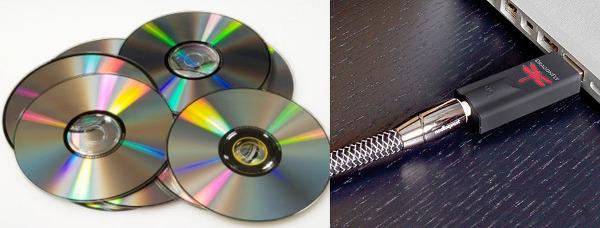
Q I have two preschool-aged kids who use my CDs and DVDs as Frisbees and coasters. For that reason alone, I feel a need to make a transition from physical media to computer-based playback. I bought an AppleTV so the kids could watch cartoons on Netflix, which solved some issues. When I used AirPlay to stream music to the Apple TV from my computer and tablet, however, I wasn’t impressed by the sound quality.
A salesperson recently demonstrated a new AV receiver for me by playing music files on a flash drive plugged into its USB input. I found the sound to be surprisingly decent. Here’s my question: Should I retire my circa-1998 Acurus Act 3 preamp and buy a new model with HDMI/USB inputs, or should I spend a few hundred dollars on an add-on solution for my PC and get more mileage out of my current system? I have an unused Dell Vostro 230 computer with a 240-GB SSD drive and a 3-TB backup that I can co-opt for that purpose. — Paul Erickson / via e-mail
A A key benefit of computer-based audio is that it doesn’t cost an arm and a leg to put together a great-sounding system. You already have the computer—with a high capacity SSD drive, no less—and AV electronics (preamp and amp). The only thing you need to add is a USB digital-to-analog converter to take the digital audio data coming from your PC’s USB port and convert it to an analog stereo format your current preamp can handle.
There are plenty of affordable USB DACs out there you can buy for this purpose. A few that Sound & Vision has tested and endorse include the AudioQuest DragonFly ($150), Audioengine D3 ($189), and Cambridge Audio DacMagic ($189). Stepping up beyond a few hundred dollars, you’ll find the Meridian Director ($699), a model that Sound & Vision’s reviewer called “The best USB DAC we’ve heard yet” at the time of the review.
In addition to converting digital signals, these DACs also provide asynchronous data transfer, a feature that lets the DAC control the clock rate at which digital data is converted to analog audio. This can have an audible impact by eliminating the timing errors that get generated when your PC’s sound card performs digital-to-analog conversion, or when you use an optical/coaxial digital or HDMI connection to convey audio data to an external receiver or preamp (HDMI connections in particular are prone to timing errors, or “jitter”).
Since you’re concerned with sound quality (FYI, you aren’t the first reader to complain about the AppleTV’s audio), an additional step you’ll want to take is to rip CDs in either WAV or AIFF format, or in one like FLAC or ALAC that provides lossless compression. The default format for iTunes is AAC, which provides a variable compression range maxing out at 320 Kbps. Lossless formats, in contrast, convey audio data at a 1,411-Kbps bitrate.
Yet another benefit that USB DACs provide is the ability to decode “master-quality” Hi-Res Audio downloads from sites like HDtracks, Acoustic Sounds, and Pono. Apple’s iTunes is finicky about handling high-resolution files (you’ll need to change the sample rate in the iTunes audio control panel from its default setting each time you switch between playing regular and high-res tracks), though there are plenty of third-party soft ware options such as Audirvana Plus ($74), and BitPerfect ($10), that provide a workaround for that issue.
You also mention that your DVD collection is in jeopardy. DVDs, too, can be ripped to your computer’s hard drive for playback using free soft ware utilities like Handbrake (Windows/OS X). It’s possible that your computer already has the proper connections to output a digital audio bitstream. If not, you may have to buy an add-on sound card to get multichannel surround from your PC to your preamp (the USB DACs described above aren’t capable of decoding or passing through Dolby Digital or DTS bitstreams). Fortunately, a Google search will turn up plenty of under-$50 sound cards from companies like Asus and Creative that can transform your PC into a home theater audio source.
Also see ”Five Portable Hi-Res DACs Compared”
































| Displays Electronics Speakers | |
Sources Other Gear Software | |
Top Picks of the Year Top Picks | |
Custom Install How To Buy How To Use | |
Tech 101
|
|
Latest News Features Blogs | |
Resources Subscriptions |
WHERE TECHNOLOGY BECOMES ENTERTAINMENT
 © 2026 Sound&Vision
AVTech Media Americas Inc., USA
All rights reserved