- REVIEWS
Displays Electronics 
Speakers Sources Other Gear Software - HOW TO
How To Buy How To Use Tech 101

How Can I Play Music from My Android Phone Through My System?
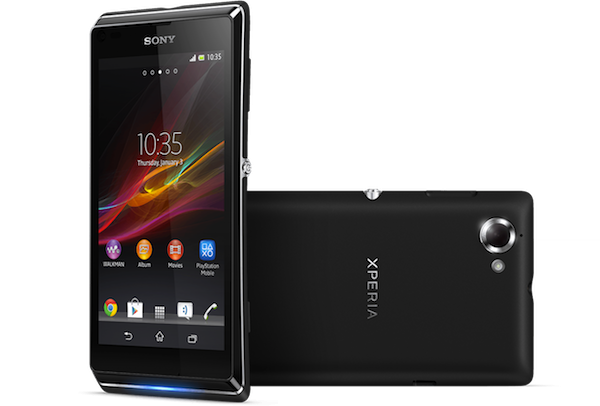
Q My Onkyo HTS-S5400 home theater system has a front USB input where I plug in my iPhone to play music. I recently bought a new Sony Xperia L Android smartphone, however, and would like to use that for music playback instead. The Onkyo’s manual says the USB input is for iPhone/iPod playback only. Is there any special cable or app that I can use to play music through the system with my Android phone? —Mila Arasu via email
A There are two ways that you can play music through your Onkyo system using your Sony smartphone. The first is the old-school method: Buy a stereo minijack-to-RCA adapter cable and use it to connect the Sony’s headphone output to one of the Onkyo’s receiver’s back panel stereo inputs. The downside to this approach is that you’ll have to get up and walk over to your system to change track selections on the phone—a drag.
The second method—the one I’d recommend—is to buy a Bluetooth receiver and tap your phone’s Bluetooth feature to stream music wirelessly to the system. If you want to remain in the Sony product universe, you should check out the company’s BM10 Bluetooth Music Receiver, which at $70 is fairly cheap for a unit with aptX audio and NFC support. Just run a set of RCA cables from the Bluetooth receiver’s back panel to the Onkyo system, settle back in your listening chair, and stream away.

































| Displays Electronics Speakers | |
Sources Other Gear Software | |
Top Picks of the Year Top Picks | |
Custom Install How To Buy How To Use | |
Tech 101
|
|
Latest News Features Blogs | |
Resources Subscriptions |
WHERE TECHNOLOGY BECOMES ENTERTAINMENT
 © 2026 Sound&Vision
AVTech Media Americas Inc., USA
All rights reserved