- REVIEWS
Displays Electronics 
Speakers Sources Other Gear Software - HOW TO
How To Buy How To Use Tech 101

Cables, Keystone, Lossless

I have long heard and read that "high-end" HDMI cables are a cash grab and offer minimal if any benefit when compared with bargain brands. Are there real gains in "high-end" HDMI cables? If so, which companies would you suggest looking into?
Vir Sodhi
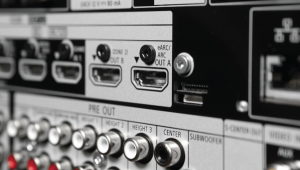
In my opinion, expensive HDMI cables do not offer any significant benefit over bargain brands when it comes to short cable lengths. However, I do recommend name brands for cables longer than 10 feet or so. I don't think there's any need to spend hundreds or thousands of dollars on any HDMI cable unless it needs to run many tens or hundreds of feet, in which case you need an HDMI extender that sends the signal via CAT5 or fiber-optic cable, and such a system can cost big bucks.
Keystone Kops
I am building a dedicated home theater, and I have completed most of the design work. One of the last details is the projector position. I have a 100-inch 16:9 screen and the Panasonic PT-AE3000.
I have read that it is better to shift the image optically rather than using keystone correction, so I am considering having the projector mounted lower from the ceiling. How important is it to reduce/eliminate keystone versus image shifting? Should I position the projector so keystone is zero? Also, how important is the distance between the screen and projector? Currently, the plan is within the recommended range of 10 to 19 feet for a 100-inch screen.
Charles Ballaro
First, let me clear up any confusion about the function of keystone and image shifting. Keystone is a setting found in most projectors that compensates for non-perpendicular placement. If the axis of the projector's light path is not perpendicular to the screen, the image will not be rectangularone side will be taller than the other and/or the top or bottom will be wider than the other. Keystone correction compensates for this by digitally processing the image to form a rectangle.
By contrast, optical image shifting (sometimes called lens shifting) simply moves the entire image up, down, right, or left to align it with the screen. This lets you place the projector off-center with respect to the screen and still align the image with the screen. In this case, if the light path is perpendicular to the screen, no keystone correction is required.
You should absolutely avoid keystone correction at all costs. The digital processing it employs reduces resolution and can introduce ugly artifacts. You should mount the projector so its light path is perpendicular to the screen. Then you can use lens shift to align the image with the screen.
As for the distance between the projector and screen, which is called the throw distance, it's better to place the projector as far as possible from the screen. This allows the light to pass through a smaller area in the center of the lens, resulting in less potential for chromatic aberration.
Lossless = Better
How much difference is there between Blu-ray lossless audio and regular Dolby Digital and DTS? Is it worth buying a new receiver only for this reason? I have a Yamaha RX-V1500 with optical inputs for my HD DVR, PS3, and HD DVD player. Do you think it is worth upgrading my receiver?
Randy Nelson
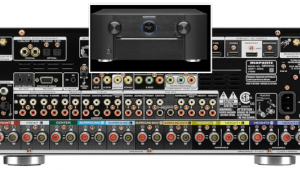
There is a big difference between regular Dolby Digital/DTS and the lossless audio formats found on Blu-ray (and, for that matter, HD DVD), though you probably won't hear all that much difference if you have poor-sounding speakers. If your speakers are reasonably good, I do think it's worth upgrading your receiver for this reason.
If you have a home-theater question, please send it to scott.wilkinson@sorc.com.

































| Displays Electronics Speakers | |
Sources Other Gear Software | |
Top Picks of the Year Top Picks | |
Custom Install How To Buy How To Use | |
Tech 101
|
|
Latest News Features Blogs | |
Resources Subscriptions |
WHERE TECHNOLOGY BECOMES ENTERTAINMENT
 © 2026 Sound&Vision
AVTech Media Americas Inc., USA
All rights reserved